
AI虚拟试穿实战指南(穿衣/脱衣):基于Draw Things与Klein 9B的高效工作流
标签: AI, Ai创作, Draw things


- 作者帖子
- 2026-05-05 - 11:55 #131836
追光参与者随着多模态视觉模型的快速迭代,AI虚拟试穿已从实验室演示走向日常创作。在跨平台工具Draw Things中,搭载FLUX架构的Klein 9B/Qwen image Edit模型凭借出色的语义解析与局部编辑能力,为个人创作者与小型团队提供了一套低门槛、高精度的Try-On/Try-Off解决方案。本文将系统梳理该工作流的核心逻辑、参数策略与实战技巧,助你快速构建可控的AI换装管线。
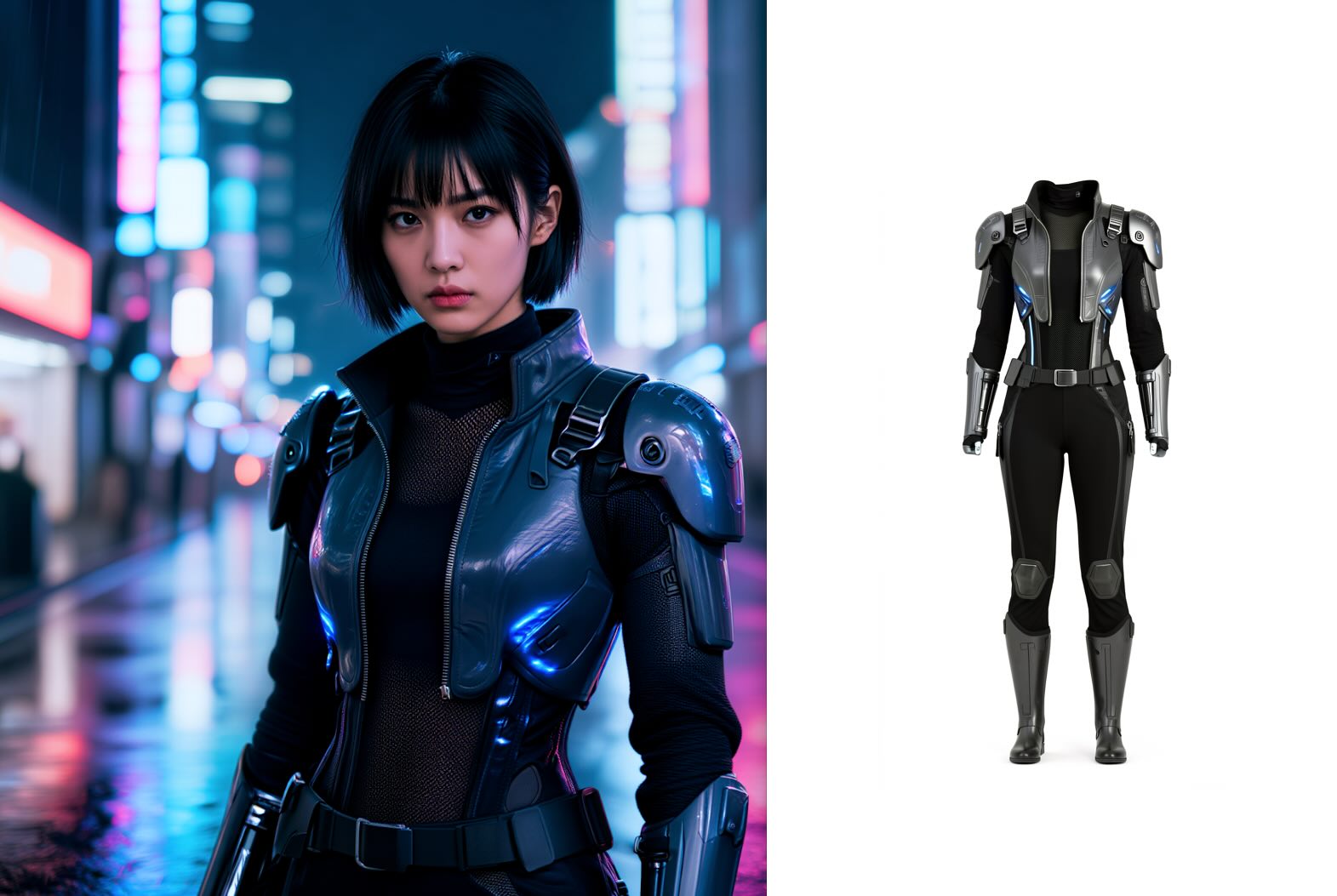
使用Z image turbo生成图片,然后用Flux2 klein9b将衣服脱下变成产品图
虚拟试穿的本质分为两步:Try-Off(脱衣提取)与Try-On(穿衣替换)。前者负责将服装从原始人物中剥离为独立资产,后者则将目标服装精准穿戴至新主体上。
高质量生成离不开精细的参数控制。分辨率建议锁定在768×1024或960×1280等符合人体比例的规格;Steps保持在20~35区间以兼顾速度与细节;CFG值应控制在1.0~5.0之间,过高易导致服装结构失真或过度重构。提示词构建需遵循“动作指令+材质描述+物理约束”的公式,务必包含garment/clothing、replace/extract及realistic/natural fit等关键词,以确保模型准确响应编辑意图。
Draw Things与Klein 9B的组合,以极低的部署成本实现了专业级虚拟试穿的核心能力。掌握其“提取-替换”逻辑与参数边界后,创作者不仅能快速产出高质量穿搭效果图,更能将其无缝接入VFX后期、电商管线或品牌内容生产。AI视觉编辑的下一站,正属于那些懂得用精准指令驾驭算力的实践者。
下面我们分别学习正式Tryon 和 Tryoff的流程
- 2026-05-05 - 11:56 #131838
追光参与者基于 Draw Things 与 Klein 9B 的 Try-On(穿衣/换衣) 精确操作流程,按执行顺序编号,可直接对照复现:
1. 准备素材
准备两张高清图片:
Image 1:目标人物图(全身或半身,姿态清晰)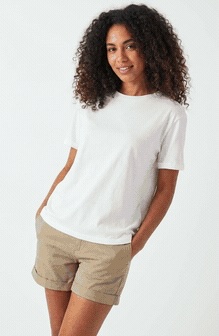
我特意使用了模糊的小图片
Image 2:目标服装图(平铺或上身图,背景尽量干净、主体完整)
测试用的模糊衣服
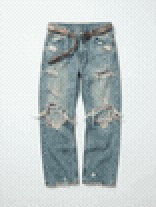
测试用的模糊裤子
2. 加载模型与环境
打开 Draw Things,在模型加载区选择 Klein 9B。若需更高贴合稳定性,可额外加载 Try-On LoRA(非必需,原生提示词方案已足够)。3. 导入人物主图
在画布导入(通常标记为 Image 1 或 Base Image)中拖入或选择人物图。4. 挂载服装参考图
在控制的创意板(Image Prompt / Reference Image / Image 2)中导入服装图。若需上下装分别替换,可继续添加 Image 3 等多个图片。5. 配置核心参数
Resolution:768×1024 或 960×1280(符合人体比例),根据模特来调整,让画布完全覆盖模特
Steps:20~35(平衡速度与细节)
CFG Scale:1.0~5.0(超过5易导致服装结构扭曲)
Sampler:DDIM 或软件默认推荐采样器在不使用Tryon专用lora的情况下如果能得到较好的效果则不加,如果动作发生变形则添加 tryon lora。
6. 输入标准提示词
在正向 Prompt 框中精确输入:TRYON [girl]. replace the outfit with [top pic2] and [bottom pic3] as shown in the reference images. the final image maintains the original framing and composition.(若使用 LoRA,末尾追加触发词如 )
7. 执行生成
检查参数与图片绑定无误后,点击生成。等待模型完成 4~35 步推理(视设备与 Steps 设置而定)。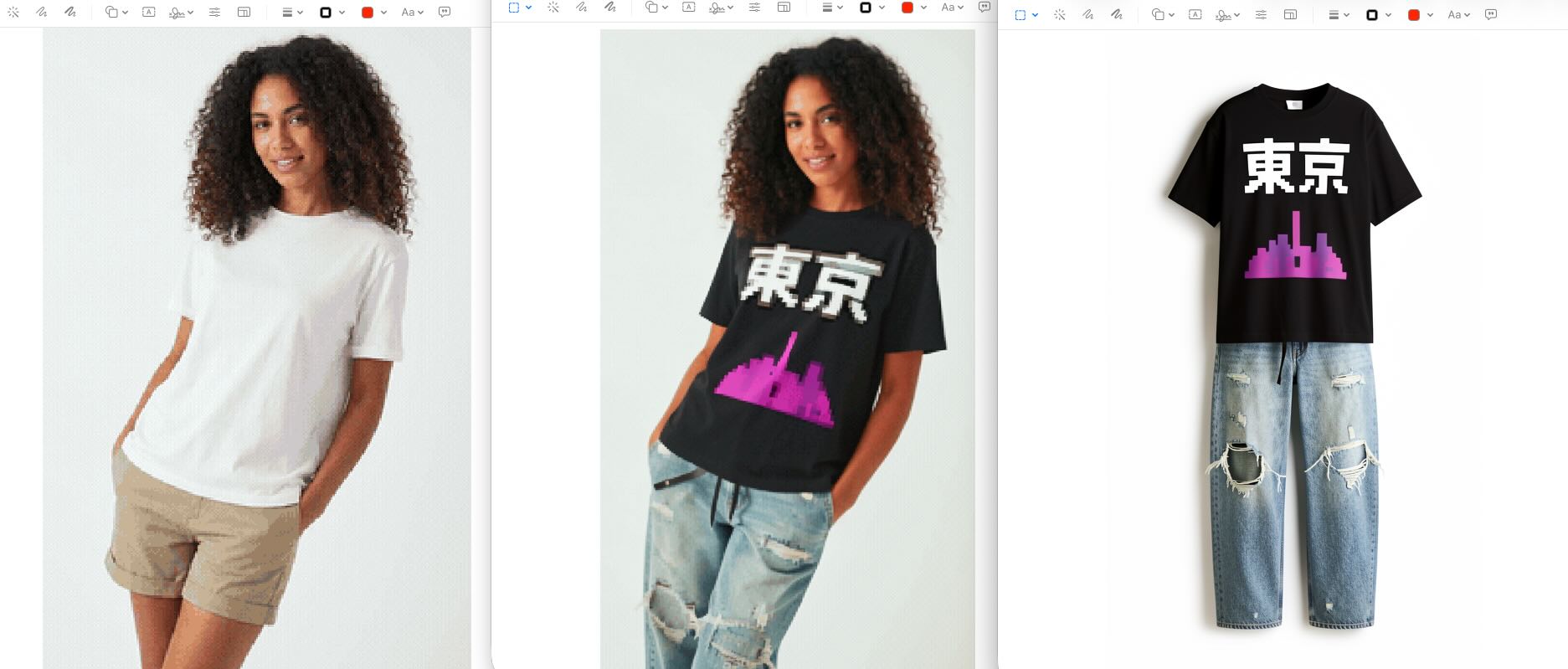
Screenshot
8. 结果校验与定向微调
若服装变形:提示词追加 maintain original garment structure,或适当提高 Steps
若贴合生硬/悬浮:追加 correct body fitting, realistic physics, natural wrinkles
若图像对应错乱:明确标注编号(如 replace top in image 1 with top from image 2)
仍不理想:降低 CFG 至 2.0 左右重新生成,或切换至 LoRA 模式按此顺序执行,即可稳定输出高贴合度、物理合理的虚拟试穿结果。
- 2026-05-05 - 12:00 #131841
追光参与者基于 Draw Things 与 Klein 9B 的 Try-Off(脱衣提取/产品图生成) 精确操作流程,按执行顺序编号,可直接对照复现:
1. 准备原始素材
选择一张人物穿着目标服装的高清图片,要求:服装主体完整、无明显遮挡,光线均匀、褶皱细节清晰,人物姿态自然(避免大幅度扭转导致服装形变)。我这里使用上方穿上的衣服来测试,为了看模型的识别能力特意使用了很模糊的图像,就是上方流程让模特穿衣的衣服。
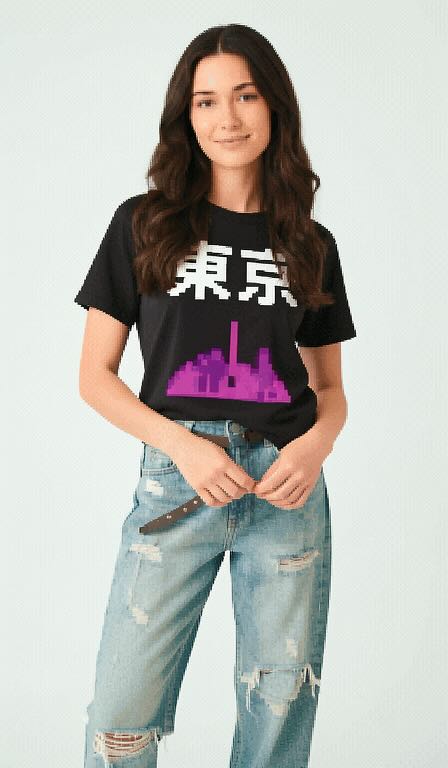
TRYON [girl]. Replace the outfit with [top pic2] and [bottom pic3] as shown in the reference images. The final image is a full body shot.
Steps: 4, Sampler: DDIM Trailing, Guidance Scale: 1.0, Seed: 956193654, Size: 448×768, Model: flux_2_klein_9b_i8x.ckpt, Strength: 1.0, Seed Mode: Scale Alike, Shift: 3.0, CLIP Skip: 2, LoRA Model: flux_klein_9b_virtual_tryon_lora_lora_f16.ckpt, LoRA Weight: 0.6 {“c”:”TRYON [girl]. Replace the outfit with [top pic2] and [bottom pic3] as shown in the reference images. The final image is a full body shot.”,”clip_skip”:2,”lora”:[{“model”:”flux_klein_9b_virtual_tryon_lora_lora_f16.ckpt”,”weight”:0.60000002384185791}],”mask_blur”:2.5,”model”:”flux_2_klein_9b_i8x.ckpt”,”profile”:{“duration”:112.83979708333209,”timings”:[{“durations”:[4.3224007916578557],”name”:”text_encoded”},{“durations”:[1.4052715833386173],”name”:”controls_generated”},{“durations”:[1.0863640000025043,26.82145699999819,25.991885708324844,26.217273291666061,26.093666458342341],”name”:”sampling”},{“durations”:[0.89510183333186433],”name”:”image_decoded”}]},”sampler”:”DDIM Trailing”,”scale”:1,”seed”:956193654,”seed_mode”:”Scale Alike”,”shift”:3,”size”:”448×768″,”steps”:4,”strength”:1,”uc”:””,”v2″:{“aestheticScore”:6,”batchCount”:1,”batchSize”:1,”causalInference”:0,”causalInferencePad”:0,”cfgZeroInitSteps”:0,”cfgZeroStar”:false,”clipSkip”:2,”clipWeight”:1,”compressionArtifacts”:”disabled”,”compressionArtifactsQuality”:43.100000000000001,”controls”:[],”cropLeft”:0,”cropTop”:0,”decodingTileHeight”:640,”decodingTileOverlap”:128,”decodingTileWidth”:640,”diffusionTileHeight”:1024,”diffusionTileOverlap”:128,”diffusionTileWidth”:1024,”fps”:5,”guidanceEmbed”:3.5,”guidanceScale”:1,”guidingFrameNoise”:0.02,”height”:768,”hiresFix”:false,”hiresFixHeight”:0,”hiresFixStrength”:0.69999999999999996,”hiresFixWidth”:0,”id”:0,”imageGuidanceScale”:1.5,”imagePriorSteps”:5,”loras”:[{“file”:”flux_klein_9b_virtual_tryon_lora_lora_f16.ckpt”,”mode”:”all”,”weight”:0.59999999999999998}],”maskBlur”:2.5,”maskBlurOutset”:0,”model”:”flux_2_klein_9b_i8x.ckpt”,”motionScale”:127,”negativeAestheticScore”:2.5,”negativeOriginalImageHeight”:512,”negativeOriginalImageWidth”:448,”negativePromptForImagePrior”:true,”numFrames”:14,”originalImageHeight”:768,”originalImageWidth”:448,”preserveOriginalAfterInpaint”:true,”refinerStart”:0.84999999999999998,”resolutionDependentShift”:false,”sampler”:16,”seed”:956193654,”seedMode”:2,”separateClipL”:false,”separateOpenClipG”:false,”separateT5″:false,”sharpness”:0,”shift”:3,”speedUpWithGuidanceEmbed”:true,”stage2Guidance”:1,”stage2Shift”:1,”stage2Steps”:10,”startFrameGuidance”:1,”steps”:4,”stochasticSamplingGamma”:0.29999999999999999,”strength”:1,”t5TextEncoder”:true,”targetImageHeight”:768,”targetImageWidth”:448,”teaCache”:false,”teaCacheEnd”:-1,”teaCacheMaxSkipSteps”:3,”teaCacheStart”:5,”teaCacheThreshold”:0.29999999999999999,”tiledDecoding”:false,”tiledDiffusion”:false,”upscalerScaleFactor”:0,”width”:448,”zeroNegativePrompt”:false}}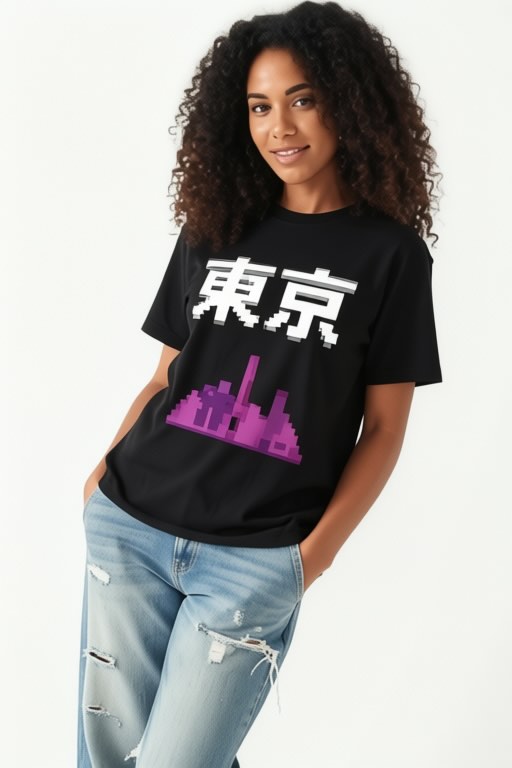
enhance image quality,
Steps: 4, Sampler: DPM++ 2M AYS, Guidance Scale: 1.0, Seed: 3347794058, Size: 512×768, Model: qwen_image_edit_2511_i8x.ckpt, Strength: 1.0, Seed Mode: Scale Alike, Shift: 2.6555896, Tiled Decoding Enabled: 640×640 [128], LoRA 1 Model: qwen_image_edit_2511_lightning_4_step_v1.0_lora_f16.ckpt, LoRA 1 Weight: 1.0, LoRA 2 Model: qwen_edit_enhance_lora_f16.ckpt, LoRA 2 Weight: 1.0 {“c”:”enhance image quality?”,”decoding_tile_height”:640,”decoding_tile_overlap”:128,”decoding_tile_width”:640,”lora”:[{“model”:”qwen_image_edit_2511_lightning_4_step_v1.0_lora_f16.ckpt”,”weight”:1},{“model”:”qwen_edit_enhance_lora_f16.ckpt”,”weight”:1}],”mask_blur”:1.5,”model”:”qwen_image_edit_2511_i8x.ckpt”,”profile”:{“duration”:182.26425354166713,”timings”:[{“durations”:[9.297907916654367],”name”:”text_encoded”},{“durations”:[2.1289305416721618],”name”:”controls_generated”},{“durations”:[14.229573333330336,47.070210833335295,36.148942625004565,35.926070916670142,36.134694374995888],”name”:”sampling”},{“durations”:[1.3233678333344869],”name”:”image_decoded”}]},”sampler”:”DPM++ 2M AYS”,”scale”:1,”seed”:3347794058,”seed_mode”:”Scale Alike”,”shift”:2.6555895805358887,”size”:”512×768″,”steps”:4,”strength”:1,”tiled_decoding”:true,”uc”:””,”v2″:{“aestheticScore”:6,”batchCount”:1,”batchSize”:1,”causalInference”:0,”causalInferencePad”:0,”cfgZeroInitSteps”:0,”cfgZeroStar”:false,”clipSkip”:1,”clipWeight”:1,”compressionArtifacts”:”disabled”,”compressionArtifactsQuality”:43.100000000000001,”controls”:[],”cropLeft”:0,”cropTop”:0,”decodingTileHeight”:640,”decodingTileOverlap”:128,”decodingTileWidth”:640,”diffusionTileHeight”:1024,”diffusionTileOverlap”:128,”diffusionTileWidth”:1024,”fps”:5,”guidanceEmbed”:3.5,”guidanceScale”:1,”guidingFrameNoise”:0.02,”height”:768,”hiresFix”:false,”hiresFixHeight”:576,”hiresFixStrength”:0.69999999999999996,”hiresFixWidth”:384,”id”:0,”imageGuidanceScale”:1.5,”imagePriorSteps”:5,”loras”:[{“file”:”qwen_image_edit_2511_lightning_4_step_v1.0_lora_f16.ckpt”,”mode”:”base”,”weight”:1},{“file”:”qwen_edit_enhance_lora_f16.ckpt”,”mode”:”all”,”weight”:1}],”maskBlur”:1.5,”maskBlurOutset”:0,”model”:”qwen_image_edit_2511_i8x.ckpt”,”motionScale”:127,”negativeAestheticScore”:2.5,”negativeOriginalImageHeight”:512,”negativeOriginalImageWidth”:512,”negativePromptForImagePrior”:true,”numFrames”:14,”originalImageHeight”:768,”originalImageWidth”:512,”preserveOriginalAfterInpaint”:true,”refinerStart”:0.84999999999999998,”resolutionDependentShift”:false,”sampler”:12,”seed”:3347794058,”seedMode”:2,”separateClipL”:false,”separateOpenClipG”:false,”separateT5″:false,”sharpness”:0,”shift”:2.6555895999999999,”speedUpWithGuidanceEmbed”:true,”stage2Guidance”:1,”stage2Shift”:1,”stage2Steps”:10,”startFrameGuidance”:1,”steps”:4,”stochasticSamplingGamma”:0.29999999999999999,”strength”:1,”t5TextEncoder”:true,”targetImageHeight”:768,”targetImageWidth”:512,”teaCache”:false,”teaCacheEnd”:-1,”teaCacheMaxSkipSteps”:3,”teaCacheStart”:5,”teaCacheThreshold”:0.20000000000000001,”tiledDecoding”:true,”tiledDiffusion”:false,”upscalerScaleFactor”:0,”width”:512,”zeroNegativePrompt”:false}}2. 加载模型与环境
打开 Draw Things,在模型加载区选择 Klein 9B。若追求极致产品级输出,可额外加载 Try-Off LoRA(非必需,若原生提示词方案已足够)。3. 导入人物图片
将带服装的人物图拖入画布主输入槽位(Base Image / Image 1),作为提取源。4. 配置核心参数
Resolution:768×1024 或 960×1280(与原图比例一致,避免拉伸)
Steps:4~8(产品图需更高细节,根据自己需要来)
CFG Scale:2.0~4.0(过低提取不干净,过高易破坏服装结构)
Sampler:DDIM 或软件默认推荐采样器
Denoising Strength:0.6~0.8(若开启图生图模式,控制重绘强度)5. 输入标准提取提示词
在正向 Prompt 框中精确输入:tryoff extract the full outfit over a white background, product photography style. no human visible (the garments maintain their 3d form like an invisible mannequin)(若使用 LoRA,末尾追加触发词如 )
6. 执行生成
确认图片绑定与参数无误后,点击生成。等待模型完成推理(通常4~35步,视设备性能而定)。然后我把模特身上穿的衣服扒下来变成了产品图,结果还算满意。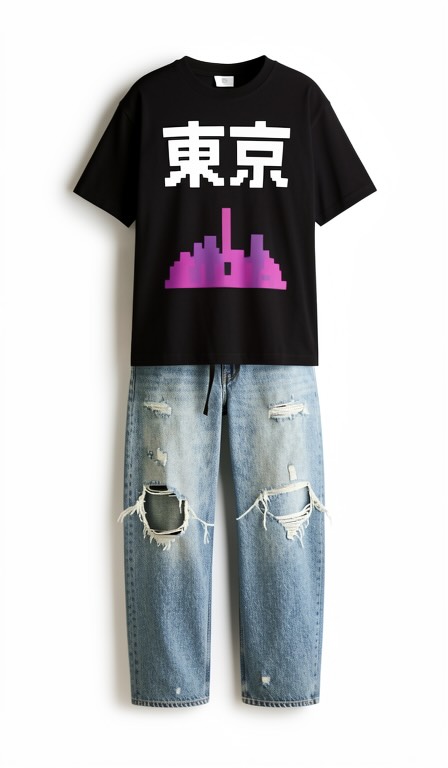
tryoff extract the full outfit over a white background, product photography style. no human visible (the garments maintain their 3d form like an invisible mannequin)
Steps: 4, Sampler: DDIM Trailing, Guidance Scale: 2.5, Seed: 3105463327, Size: 448×768, Model: flux_2_klein_9b_i8x.ckpt, Strength: 1.0, Seed Mode: Scale Alike, Shift: 3.0, CLIP Skip: 2, LoRA Model: flux2_klein_9bvirtual_tryoff_lora_f16.ckpt, LoRA Weight: 1.0 {“c”:”tryoff extract the full outfit over a white background, product photography style. no human visible (the garments maintain their 3d form like an invisible mannequin)”,”clip_skip”:2,”lora”:[{“model”:”flux2_klein_9bvirtual_tryoff_lora_f16.ckpt”,”weight”:1}],”mask_blur”:2.5,”model”:”flux_2_klein_9b_i8x.ckpt”,”profile”:{“duration”:201.45126229166669,”timings”:[{“durations”:[3.8028770416666475],”name”:”text_encoded”},{“durations”:[1.2810680416666855],”name”:”controls_generated”},{“durations”:[0.76047574999995504,49.507866416666729,48.187477041666625,49.319349125000031,47.794078833333288],”name”:”sampling”},{“durations”:[0.79310533333341482],”name”:”image_decoded”}]},”sampler”:”DDIM Trailing”,”scale”:2.5,”seed”:3105463327,”seed_mode”:”Scale Alike”,”shift”:3,”size”:”448×768″,”steps”:4,”strength”:1,”uc”:””,”v2″:{“aestheticScore”:6,”batchCount”:1,”batchSize”:1,”causalInference”:0,”causalInferencePad”:0,”cfgZeroInitSteps”:0,”cfgZeroStar”:false,”clipSkip”:2,”clipWeight”:1,”compressionArtifacts”:”disabled”,”compressionArtifactsQuality”:43.100000000000001,”controls”:[],”cropLeft”:0,”cropTop”:0,”decodingTileHeight”:640,”decodingTileOverlap”:128,”decodingTileWidth”:640,”diffusionTileHeight”:1024,”diffusionTileOverlap”:128,”diffusionTileWidth”:1024,”fps”:5,”guidanceEmbed”:3.5,”guidanceScale”:2.5,”guidingFrameNoise”:0.02,”height”:768,”hiresFix”:false,”hiresFixHeight”:0,”hiresFixStrength”:0.69999999999999996,”hiresFixWidth”:0,”id”:0,”imageGuidanceScale”:1.5,”imagePriorSteps”:5,”loras”:[{“file”:”flux2_klein_9bvirtual_tryoff_lora_f16.ckpt”,”mode”:”all”,”weight”:1}],”maskBlur”:2.5,”maskBlurOutset”:0,”model”:”flux_2_klein_9b_i8x.ckpt”,”motionScale”:127,”negativeAestheticScore”:2.5,”negativeOriginalImageHeight”:512,”negativeOriginalImageWidth”:448,”negativePromptForImagePrior”:true,”numFrames”:14,”originalImageHeight”:768,”originalImageWidth”:448,”preserveOriginalAfterInpaint”:true,”refinerStart”:0.84999999999999998,”resolutionDependentShift”:false,”sampler”:16,”seed”:3105463327,”seedMode”:2,”separateClipL”:false,”separateOpenClipG”:false,”separateT5″:false,”sharpness”:0,”shift”:3,”speedUpWithGuidanceEmbed”:true,”stage2Guidance”:1,”stage2Shift”:1,”stage2Steps”:10,”startFrameGuidance”:1,”steps”:4,”stochasticSamplingGamma”:0.29999999999999999,”strength”:1,”t5TextEncoder”:true,”targetImageHeight”:768,”targetImageWidth”:448,”teaCache”:false,”teaCacheEnd”:-1,”teaCacheMaxSkipSteps”:3,”teaCacheStart”:5,”teaCacheThreshold”:0.29999999999999999,”tiledDecoding”:false,”tiledDiffusion”:false,”upscalerScaleFactor”:0,”width”:448,”zeroNegativePrompt”:false}}7. 结果校验与定向优化
若残留人体/皮肤:提示词追加 completely remove body, no arms, no legs, product only,或提高 CFG 至 4.0 重试
若服装变形/褶皱失真:追加 maintain original folds, realistic fabric texture, no distortion,并适当提高 Steps
若背景不纯/有杂色:追加 pure white background, isolated product, alpha channel ready
若边缘模糊:生成后使用 Draw Things 内置「背景移除」或「智能抠图」工具二次精修8. 导出与后期处理
生成满意结果后,导出为 PNG 格式(保留透明通道)或 JPG(白底商用)
可选:在 Photoshop / Affinity Photo 中微调光影、锐化边缘,或批量添加阴影/倒影提升电商质感按此顺序执行,即可稳定输出符合电商标准的纯净服装产品图,为后续 Try-On 换装、商品上架或素材库建设提供高质量资产。
特别提示:不只是可以脱衣服 可以脱戒指 手表 项链 手环 耳钉 等等 用提示词即可,也可以有更多的想象力,扩充应用场景,模型的能力和潜力目前而言,远远超出我们的应用场景,如果有更好玩的想法,欢迎跟帖留言。
- 2026-05-05 - 16:26 #131878

鱼叔乐乐参与者Draw Things 内置「背景移除」或「智能抠图」工具怎么使用,大佬有空可以出一期
- 2026-05-21 - 10:45 #132142
周易参与者你好,请问,这个是在图像到图像。还是文本到图像。
- 作者帖子

- 在下方一键注册,登录后就可以回复啦。
 京公网安备
京公网安备  工信部备
工信部备